Nexo ITIT support for businesses

Your team needs to keep working.
Ask about an IT issue- 01Remote support
- 02On-site assistance
- 03Networks and devices
01
Concept designIT support · Latin America


Showcase remote support with clarity and focus
Before requesting support
When a computer fails or a network interrupts work, a small business needs to know whether you can help. Your website should explain what you support, how you deliver assistance and what information helps you assess the issue.
Distinguish remote support from on-site visits and explain which areas, devices and systems you cover. Ask businesses to describe what has stopped working and how it affects their work, so you can assess whether your service fits the issue.
Trust starts with knowing what you can support.
01 /Designed for business IT support
Organise your services so a business can identify the right support option, check whether you cover its setup and send an enquiry outlining the issue.
Your team needs to keep working.
Ask about an IT issueSeparate the two options and explain your service area and support conditions. Help businesses understand how assistance can be delivered before they get in touch.
Present the workstations, servers, networks and systems you actually support. Distinguish ongoing maintenance, one-off assistance and services for businesses with multiple devices.
Configure a form asking for company details, affected devices or systems and what is going wrong. Include how the issue affects work so you can assess its scope before responding.
A design example with a concept brand. Its controls are illustrative; your website features depend on what you configure.
Create my IT support website02 /From your service to your website
AI creates your first website. You review the services, define your coverage and decide how businesses should contact you.
Describe your IT support business, your assistance options and the devices you cover. AI generates a first website for you to review.
Edit text, images and styling with the advanced visual editor, including voice-driven changes. Tailor your services, coverage and contact options.
Review your information and publish your website. Kolau's technology assists with SEO to present your services in search engines, without guaranteeing rankings.
You define the scope of your support and review every service before publishing.
Start for freeInstitutions. Media. Experiences.
Explore the partnerships, interviews and experiences behind the Digitalization Plan across Spanish-speaking Latin America.
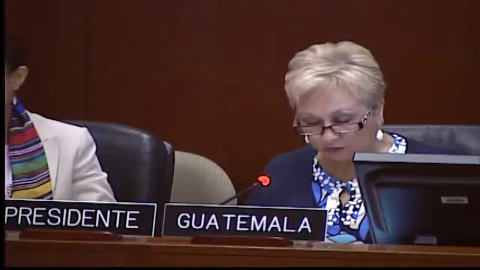
InternationalInstitutions
An address from Washington, D.C.
From 01:12:00

Costa RicaMedia
Teletica · Qué buena tarde

ColombiaInstitutions
Ministry of ICT · Introducing the plan

GuatemalaMedia
Guatevisión · Digitalization Plan
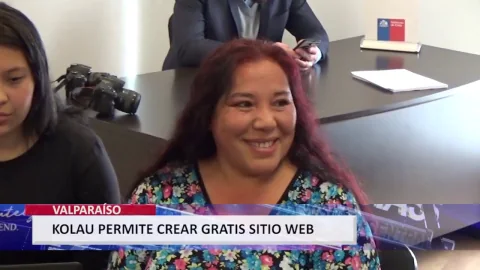
ChileInstitutions
Launching the OAS–Kolau Digitalization Plan
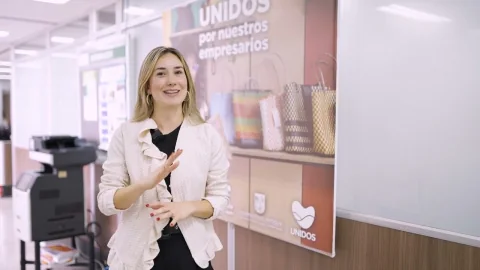
Colombia · AntioquiaResults
The program’s experience and results

HondurasMedia
HCH · Noticiero Vespertino

GuatemalaInstitutions
Launching the OAS–Kolau Digitalization Plan

Bolivia · El AltoMedia
Red Uno · Que No Me Pierda
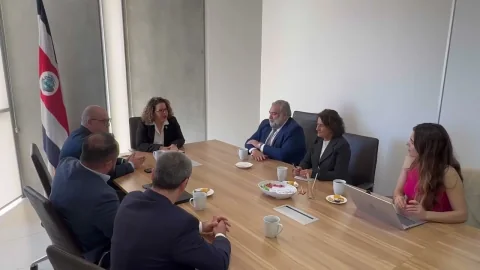
Costa RicaInstitutions
MEIC and the Embassy of Spain · Launching the plan

Mexico · SonoraMedia
Government of Sonora · Telemax TV

El SalvadorMedia
Government of El Salvador · Frente a Frente
Your idea could be next.
Start for freeYes. You can give each option its own section, explaining what you offer remotely, when you consider an on-site visit and which areas you cover. You choose the conditions shown on your website.
Organise your services by workstations, servers, networks or supported systems. Add the technologies you work with and clarify relevant exclusions so each business can assess whether your service fits its setup.
You can configure fields for contact and company details, affected devices or systems, and a description of what is happening and how it affects work. Do not request passwords or credentials. Submission starts an enquiry; it does not confirm assistance or a response time.
Yes. The visual editor lets you change text, images and styling, including through voice instructions. You can revise support options, covered devices and service areas as your offering changes, retaining control of the content.
03 /Institutional partnerships
We work with the Organization of American States and Latin American governments to bring digitalization to small businesses. Here are some of our partnerships.
Explore the Digitalization Plangovernment entities joined the Digitalization Plan
























Born on the Koʻolau mountain.

Created with love.

Developed with love.
Create a website that explains what you support and helps each business take the next step.